
Quick Summary
Are you tired of switching tabs while doing math homework? By installing our Free TI-84 Chrome Extension, you unlock a highly optimized, fully featured graphing calculator instantly from your browser's side panel.
Why Use the TI-84 Extension?
As students and professionals continuously shift towards digital learning, juggling multiple tabs just to calculate a matrix or graph an equation becomes tedious.
- Seamless Integration: The calculator opens in Chrome's side panel, meaning it doesn't block or cover the worksheet or article you are currently reading.
- 100% Free: No hidden charges, no premium subscriptions, just pure mathematical power.
- Optimized Performance: Unlike other bulky extensions, ours securely embeds the calculator from our lightning-fast servers without taking up memory on your local machine.
Step-by-Step Installation Guide
Getting everything set up takes less than a minute. Follow these simple instructions:
Visit the Chrome Web Store
First, navigate to the official TI-84 Calculator Online Extension Page. We recommend only downloading from our official developer link to guarantee security.
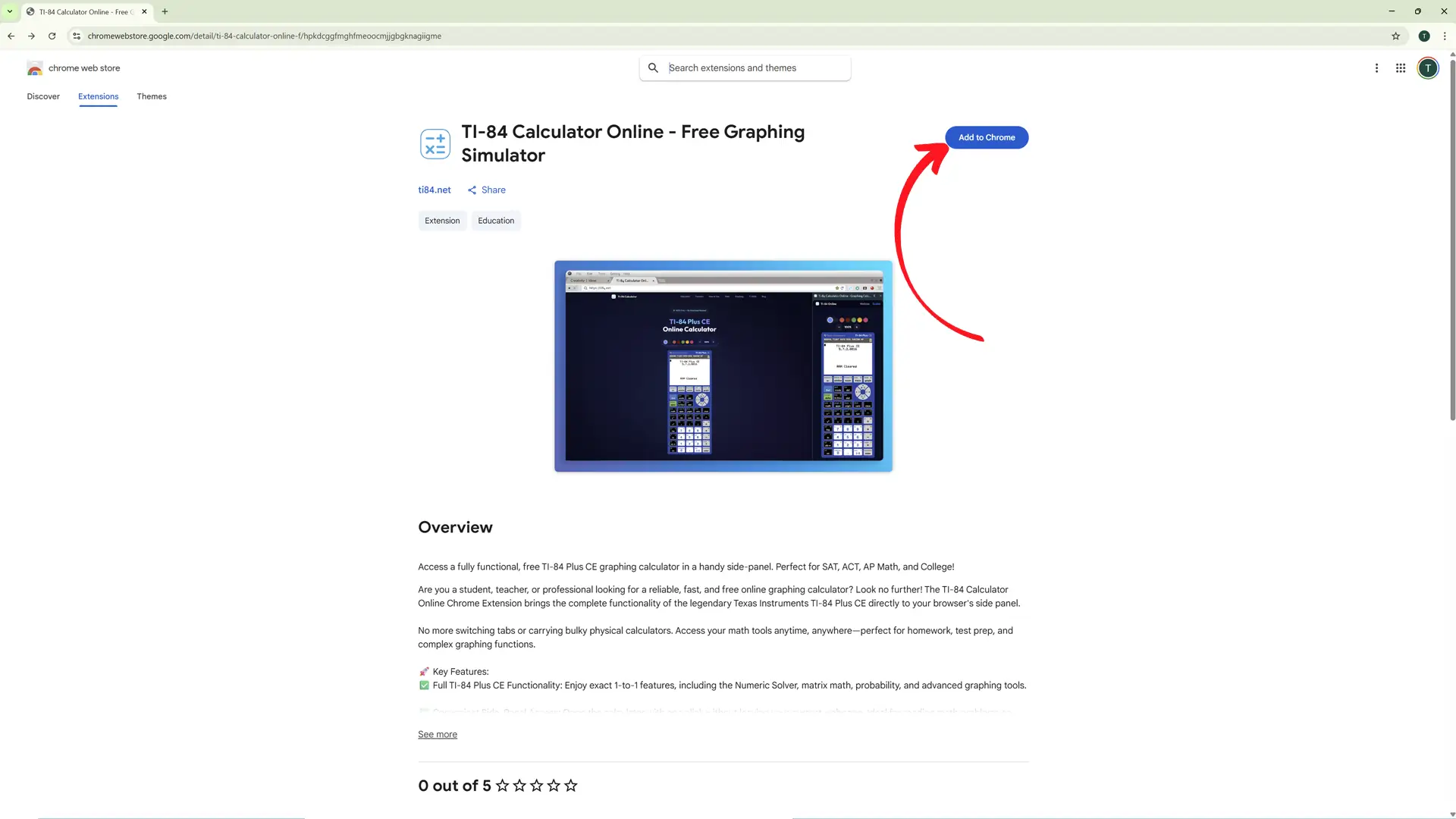
Click "Add to Chrome"
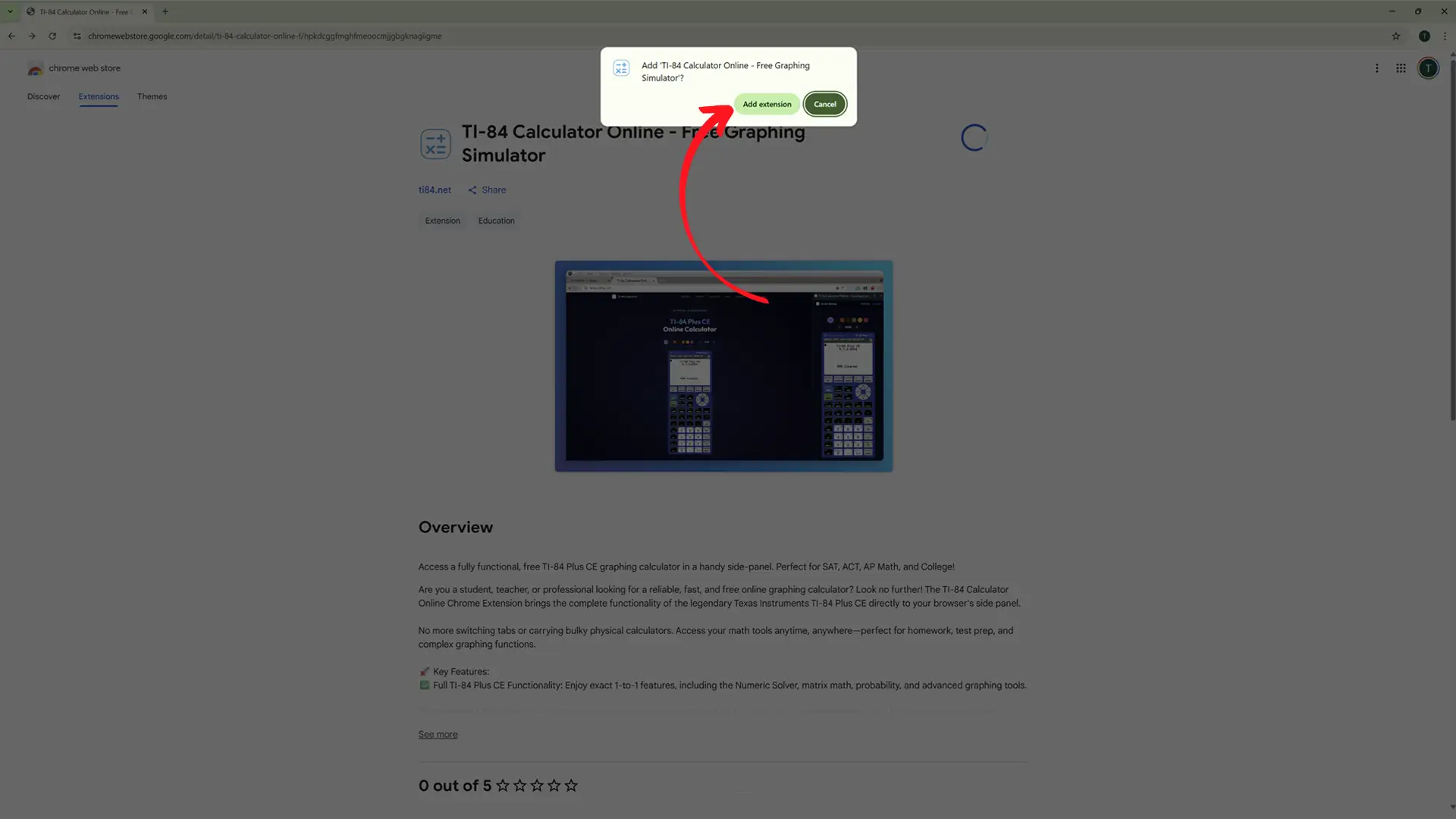
You will see a blue button on the top right. Click it, and then click Add Extension when Chrome asks for your permission.
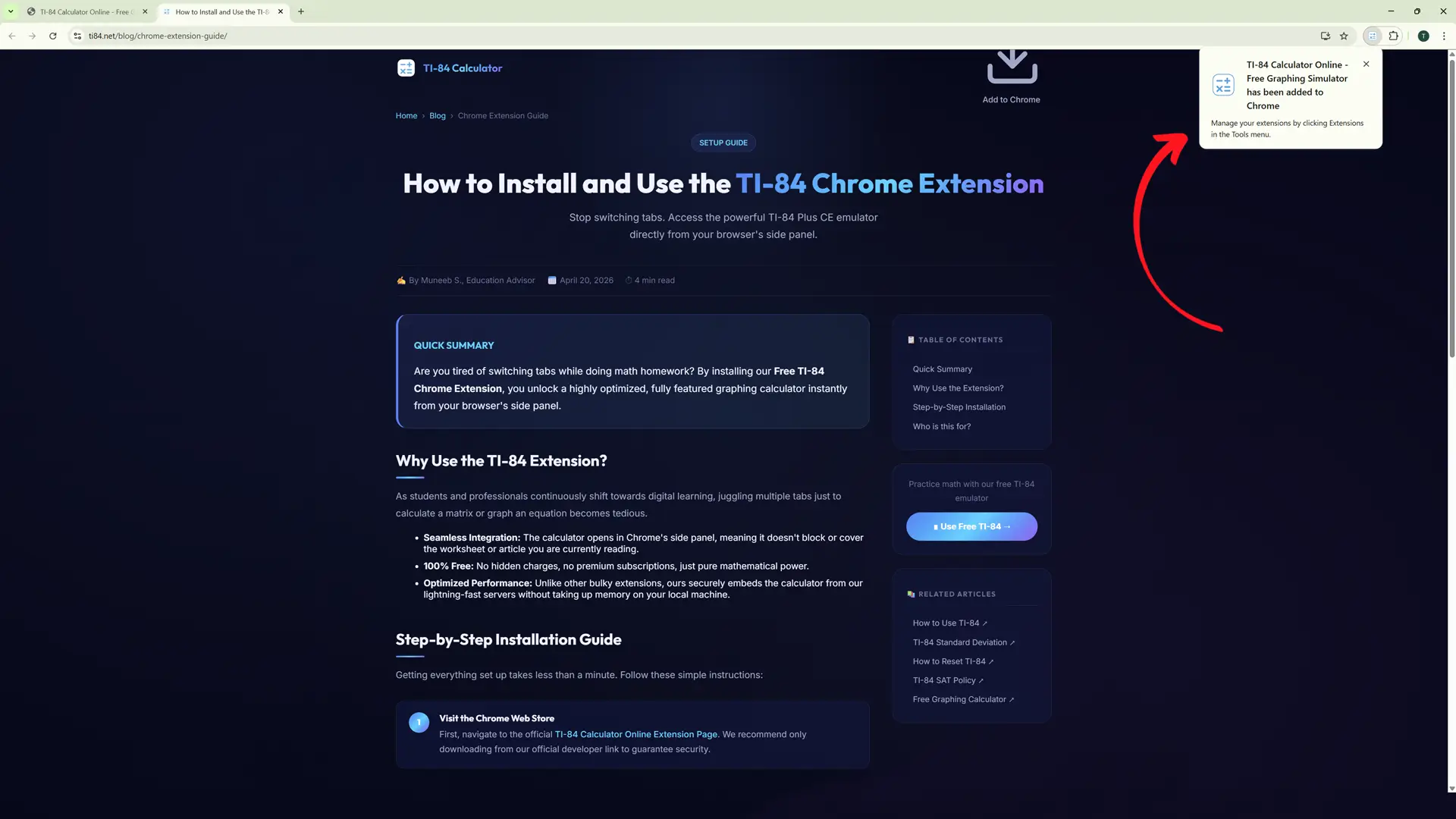
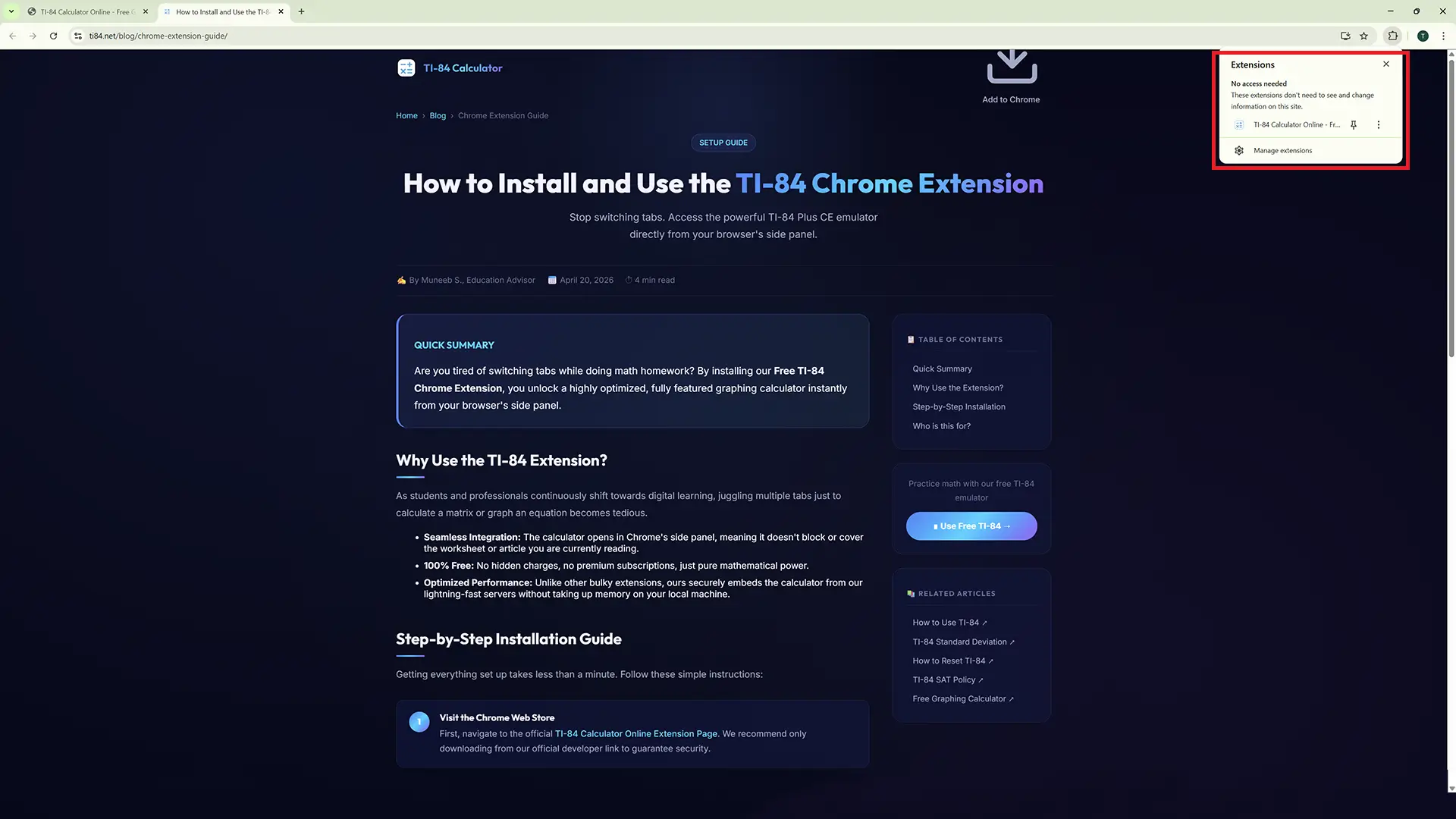
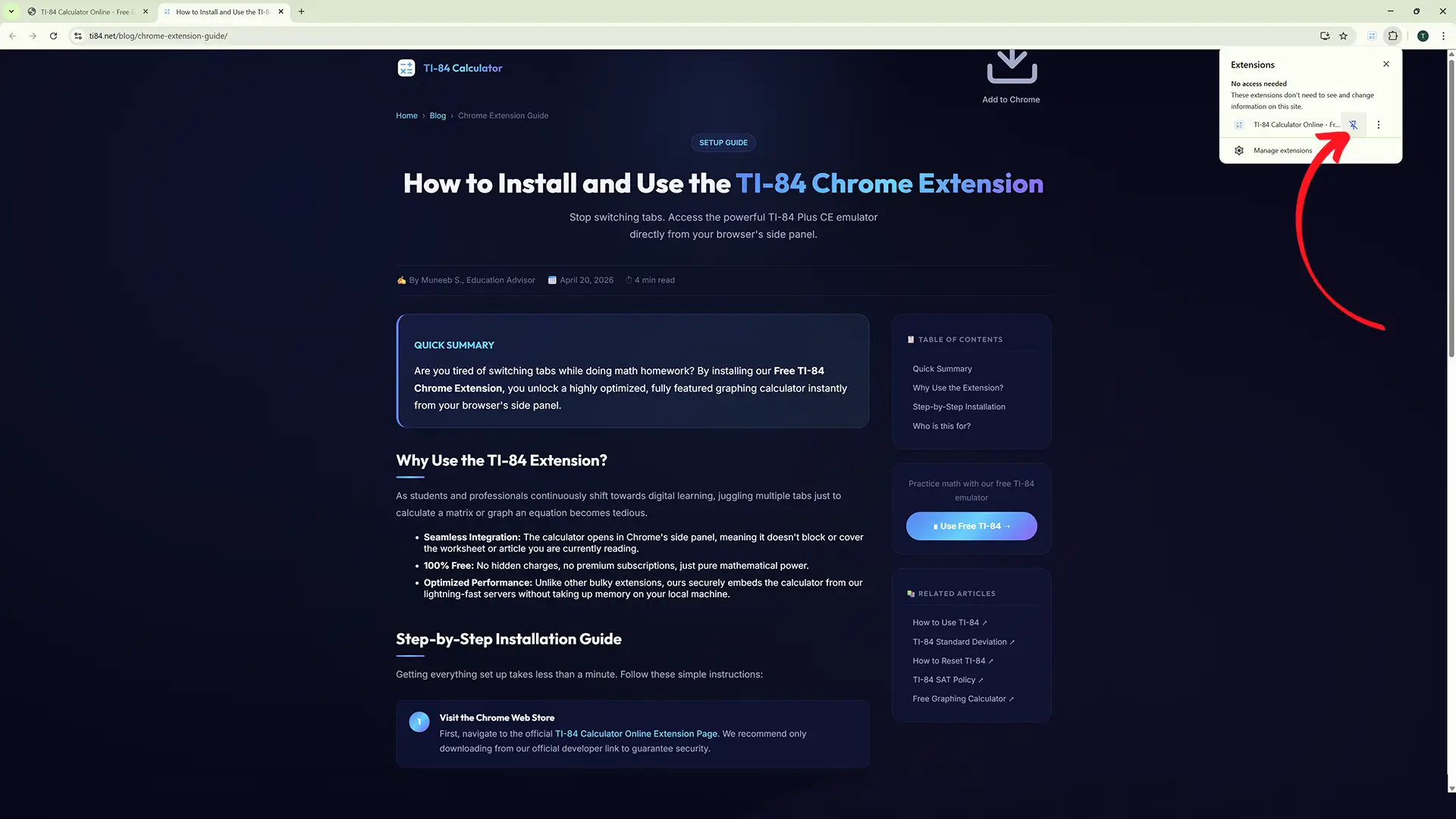
Pin the Extension for Quick Access
Once installed, click the puzzle piece icon (🧩) in your Chrome toolbar. Scroll down to find TI-84 Calculator Online and click the Push-Pin (📌) icon so it stays visible on your taskbar.
Open and Calculate!
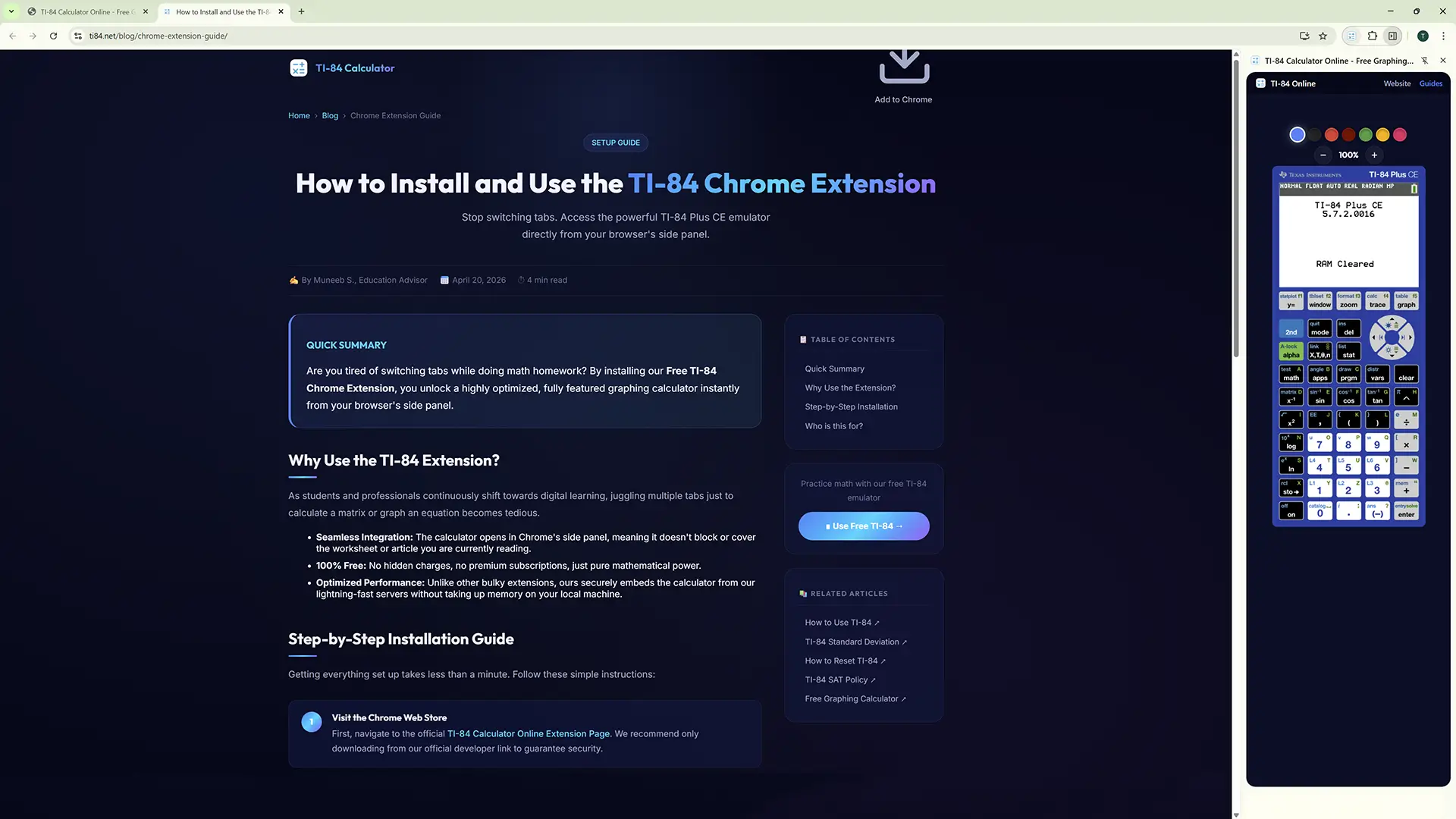
Simply click the blue calculator icon on your toolbar. A sleek side panel will slide out on the right side of your screen containing the fully functional TI-84 Plus CE emulator. You are now ready to tackle complex math problems!
Who is this Extension Perfect For?
We designed this extension with three massive user bases in mind to ensure maximum productivity.
📚 For Students
Keep your homework PDFs open on the main screen while manipulating graphs and verifying equations in the side panel. No more lost context, no more tab fatigue.
👨🏫 For Educators
If you're presenting lessons via Google Meet or Zoom, snapping open the calculator extension over a whiteboard or presentation slide makes demonstrating solutions incredibly fluid and professional.
💼 For Professionals
Engineers and data analysts can quickly verify statistics, trigonometry, or financial logic without breaking focus from technical documentation or spreadsheets.
Pro Tip: You can right-click any webpage and choose "Open TI-84 Calculator" from the context menu if you don't want to use the toolbar icon.
Ready to Supercharge Your Workflow?
Say goodbye to tab-switching and hello to the most convenient graphical calculator available online.
Install Now - It's Free!